Pro document scanner
Auto edge-detection, perspective correction and crisp filters turn any page into a clean, sharp PDF in seconds.
Scan, sign, merge, compress, OCR and organize - a full studio in your pocket. No accounts, no cloud, no tracking.
A focused toolkit with a calm, warm-paper interface - powerful enough for real work, simple enough to reach for every day.
Auto edge-detection, perspective correction and crisp filters turn any page into a clean, sharp PDF in seconds.
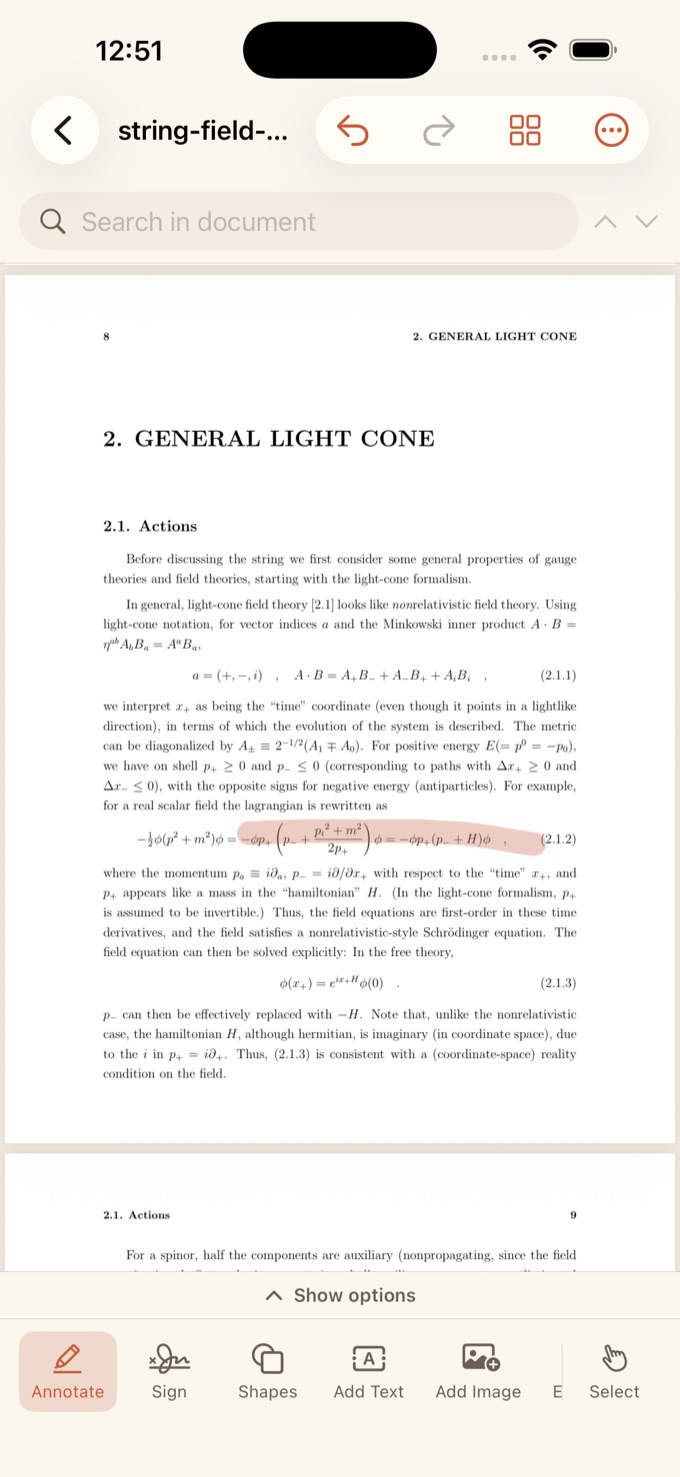
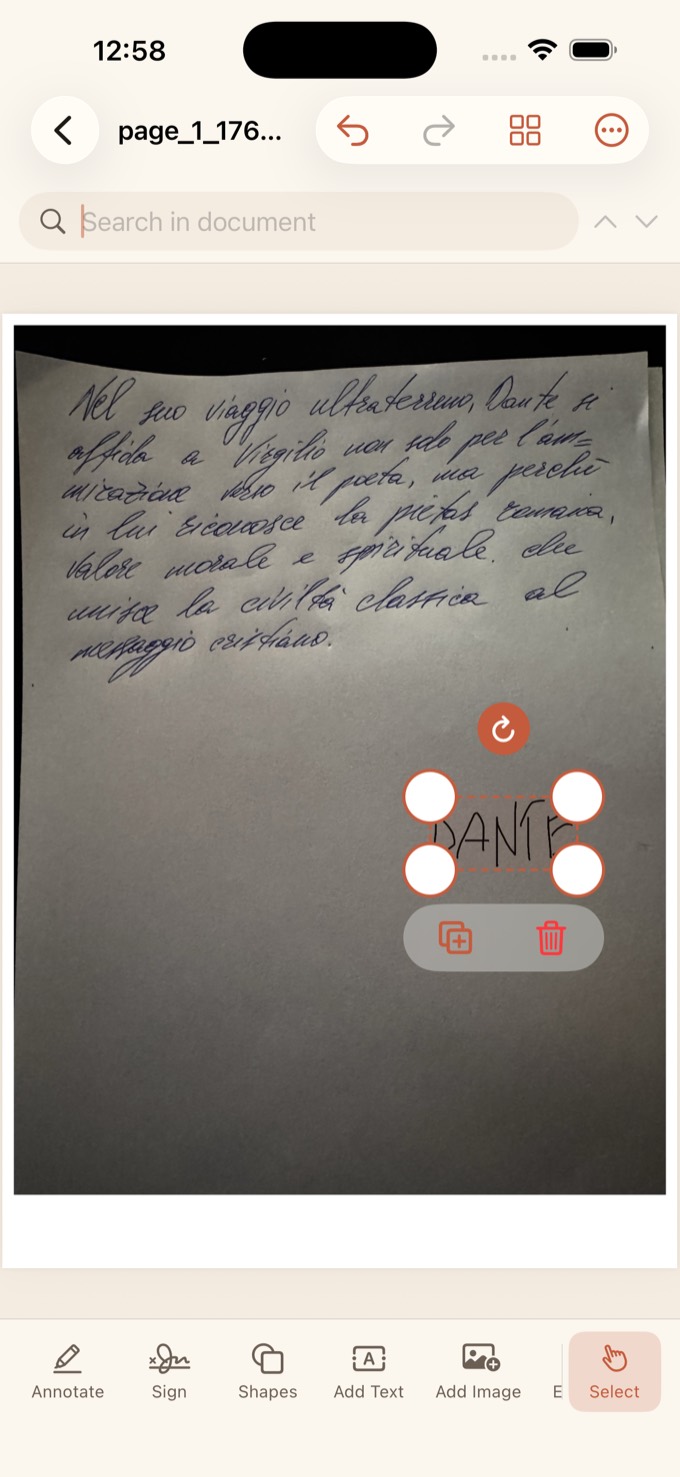
Draw or type your signature, fill forms, add text boxes, highlights, comments, measurements and audio notes.
On-device OCR reads scanned pages, makes them searchable and lets you copy text out - no internet required.
Combine files, pull pages apart, reorder with a drag, and shrink big scans down to email-friendly sizes.
Encrypt sensitive documents so only the people you share the passphrase with can open them.
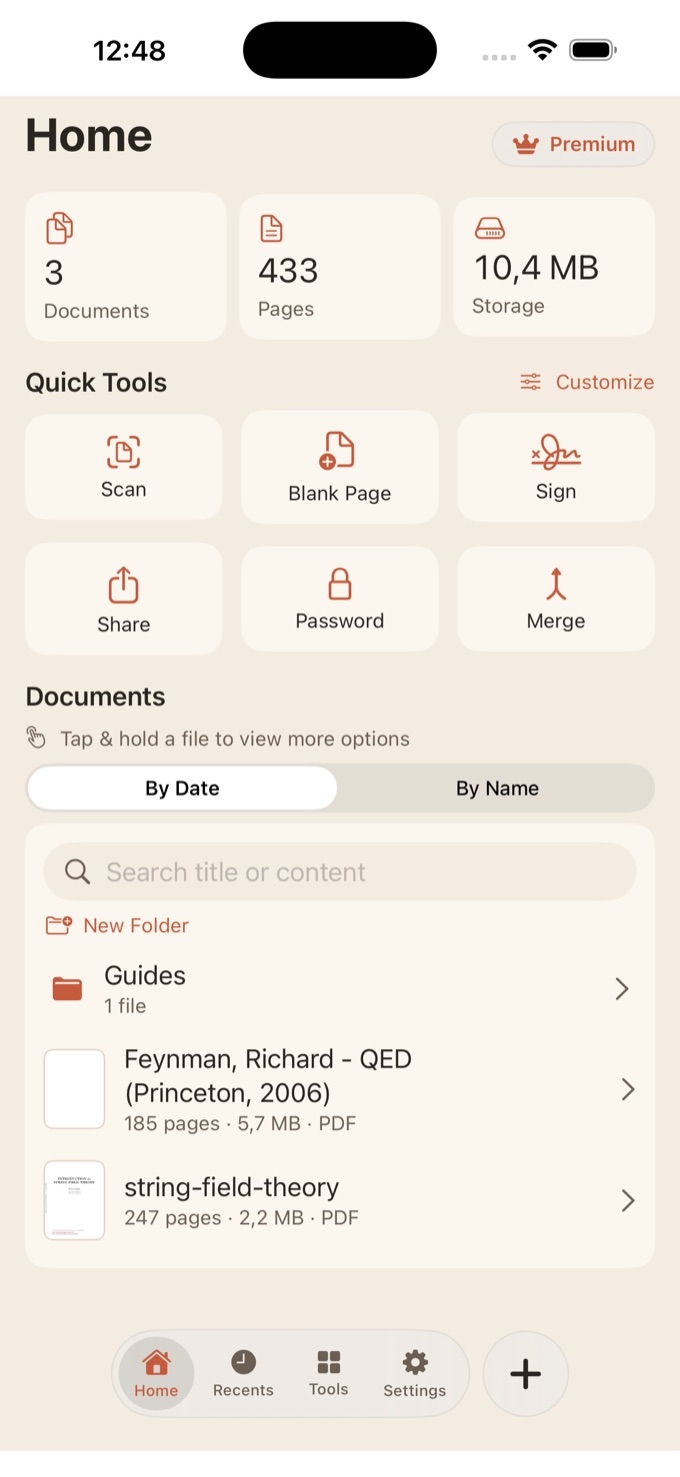
Organize everything into folders, star favourites and find any document instantly with search.
Every step runs on your iPhone. Nothing is uploaded, nothing is synced - you stay in control from capture to share.
Scan a page, import a photo or open a PDF from Files - captured straight onto your device.
Sign, fill, annotate, merge, split or run OCR. The full toolbox, all working offline.
Compress heavy scans and lock sensitive files with a password - encrypted on device.
Send through the iOS share sheet only when you choose. Nothing leaves until you tap Share.
Start something new or act on a document you already have. Tap any tool to see exactly how it works - and why it stays private.
rawPDF does its work entirely on your device - scanning, OCR, signing and compression all run locally. There's no account to create, nothing is uploaded to a server, and there are no ads or analytics watching over your shoulder.
Most PDF tools on the web work by uploading. You choose a file, it travels across the internet to a company's server, the work happens there, and a result is sent back. For a throwaway document that might be fine. For a signed lease, a payslip, a passport scan or a medical form, it means a copy of something private has left your control and now lives - however briefly - on a machine you don't own, governed by a privacy policy you probably didn't read. Even when a service promises to delete your file, you're trusting that it does, that its logs don't retain it, and that nothing intercepts it in transit.
rawPDF is built the opposite way. Every operation - scanning a page, running OCR to recognise text, compressing a heavy file, encrypting a document with a password, merging or splitting pages - runs directly on your iPhone or iPad using the device's own processor. There is no rawPDF server to upload to, because rawPDF doesn't have one. Your documents are created, edited and stored inside the app's private, sandboxed storage on the device, and they stay there. Nothing is synced in the background and nothing is analysed in a cloud. A file only ever leaves your device at the exact moment you decide to send it, through Apple's standard iOS share sheet, to a destination you pick - Mail, Messages, AirDrop or another app.
This is possible because modern iPhones and iPads are genuinely powerful computers. The same Apple silicon that edits video and runs machine-learning models can detect the edges of a page, straighten its perspective, recognise printed and handwritten text, and re-encode a large PDF at a smaller size - all locally, in seconds, with no network connection at all. Because the processing is on-device, rawPDF keeps working in aeroplane mode, underground, on a plane, or anywhere with no signal. Offline isn't a fallback mode; it's simply how the app runs.
The practical result is a different trust model. You don't have to take a privacy promise on faith and hope the deletion happened, because the upload never happened in the first place. There are no accounts, so there's no profile tying your documents to your identity, and no analytics or trackers watching which files you open. rawPDF is free to download, with an optional one-time or yearly Premium unlock that lifts the document limit - the business model is a paid app, not your data. For the kind of paperwork people handle on a phone every day, that distinction is the entire point.
Try every tool for free. When you're ready for unlimited documents, pick a plan that suits you.
Get a feel for rawPDF
Just $1 a month, billed yearly
Pay once, own it forever
Prices shown in USD and may vary by region. Purchases are handled securely by the App Store - rawPDF never sees your payment details.
Neither. rawPDF works entirely offline and never asks you to sign up. Open the app and start scanning - nothing is uploaded anywhere.
Right on your device. rawPDF keeps everything in local, on-device storage and only shares a file when you explicitly tap Share. There is no rawPDF cloud.
Every tool is available to try - scanning, signing, merging, OCR and more. The free tier lets you create a set number of documents; Premium removes that limit.
Your choice. Pick the Yearly plan for about a dollar a month, or the Lifetime option to pay once and own it forever. Both unlock unlimited documents and every tool.
rawPDF is a native app for iPhone and iPad running iOS 17 or later, with full support for portrait and landscape.
Yes. Built-in OCR runs on-device to make scans searchable and lets you extract and copy the text - all without sending anything to a server.
We read every message. Whether you've hit a snag, want to request a feature, or just have a question about rawPDF, drop us a line - we'd love to hear from you.
Email usor write directly to sneccisrl@gmail.com
Scan, sign and organize every PDF - privately, on your iPhone and iPad.